Install mavericks 10.9.0 and update to 10.9.4 on AMD & ASUS
Understand this guideline is only for following machine specifications:
1. AMD processor (any)
2. ASUS motherboard (any)
3. Compatible Graphics card - (if not compatible with mavericks or unsure, remove graphics card from motherboard before you proceed - NOTE: All onboard graphics card are incompatible)
Assuming you have windows vista, 7 or 8 & later,
You will need Niresh's Mavericks. [DOWNLOAD]
Download Win32disk imager [DOWNLOAD]
Select the downloaded .dmg file with Win32Disk imager, select the destination USB flash drive and click write.
Once written, keep your pen/thumb/flash drive pluggedin reboot. Hit DEL to goto BIOS.
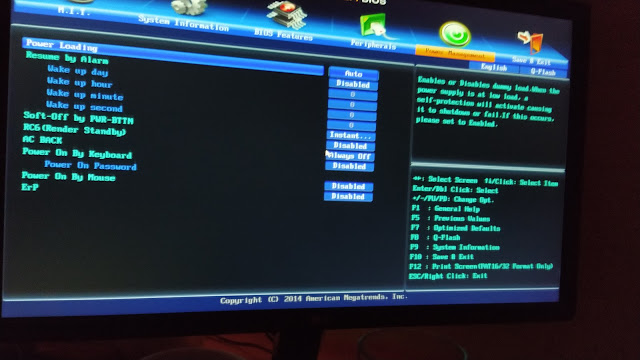
in bios look for USB settings:
1. AMD processor (any)
2. ASUS motherboard (any)
3. Compatible Graphics card - (if not compatible with mavericks or unsure, remove graphics card from motherboard before you proceed - NOTE: All onboard graphics card are incompatible)
Assuming you have windows vista, 7 or 8 & later,
You will need Niresh's Mavericks. [DOWNLOAD]
Download Win32disk imager [DOWNLOAD]
Select the downloaded .dmg file with Win32Disk imager, select the destination USB flash drive and click write.
Once written, keep your pen/thumb/flash drive pluggedin reboot. Hit DEL to goto BIOS.
in bios look for USB settings:
- USBLEGACY - ENABLED
- USB Speed - Full Speed (Not high speed)
- Power managenemt: Select S3.
Boot disk priority : USB removable disk - Primary hard drive: HDD-USB (select the usb pen/flash drive you've written your mavericks file)
Now Save bios changes and exit.
You 'll boot with USB drive, with probably already selected with Niresh Mavericks.
You'll also see blinking cursor. Write:
amd -v npci=0x2000 PCIRootUID=0 cpus=1
if above doesn't works and if you get kernel panic, use various alterations of values, eg. npci=0x3000 PCIRootUID=1 etc. You can read all about boot flags here [ALL BOOT FLAGS LIST WITH EXPLAINATION]
First screen comes up, select language, and accept terms. Then you'll be shown list of drive partitions available. At this point you must open disk utility (may take time to come up) and format as (Journaled only) the partition you wish to install the mac. Once erased & format, close disk utility.
Next, Select the partition you just erased. Click customize. Following are necessities that you must select.
- Evoreboot
- Null Power CPU Management
- Select everything under power management (except last one). As much as i remember they are: GenerateCStates,GeneratePStates,GenerateC1States,GenerateC2States,GenerateC3States etc.
- IGPEnabler
- Audio kext, Ethernet kext
- USBBusFix=Yes
- cpus=1
- npci=0x2000 (or npci=0x3000 whatever worked during boot)
It'll restart. Hit DEL to enter BIOS. Set Priority boot drive: CDROM, Primary hard drive: To Internal hard drive you have. Save settings restart.
For first time donot boot up directly, just select the mac drive you have installed and start writing these boot options:
-v npci=0x2000 PCIRootUID=0 cpus=1 USBBusFix=Yes GraphicsEnabler=Yesif you have graphics card that is not compatible with mavericks or unsure, remove graphics card from motherboard before you proceed - NOTE: All onboard graphics card are incompatible. In case you have compatible graphics card use:
GraphicsEnabler=Yes. If you donot
have compatible graphics card(or have onboard graphics card only) use
GraphicsEnabler=NoIf you move on without kernel panic, you're done. if not, leave a comment.
Your internet may not work. See how to [INSTALL ETHERNET] kext.
Update you mac to 10.9.4. See [UPDATE GUIDELINES]
Comments
Post a Comment